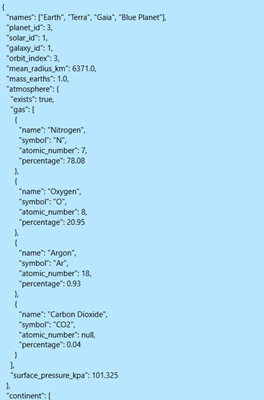
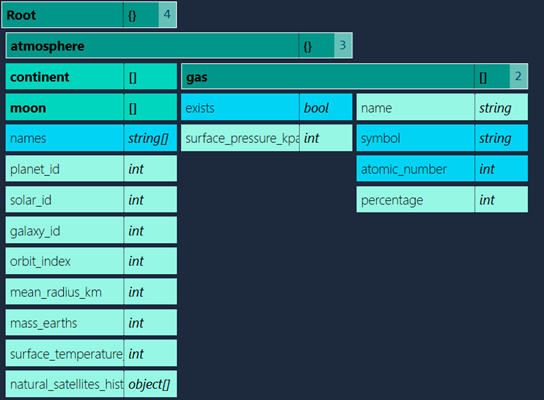
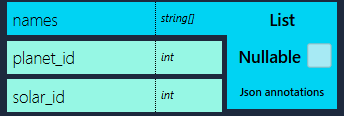
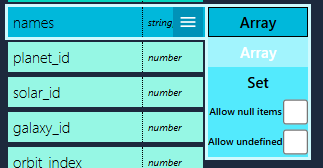
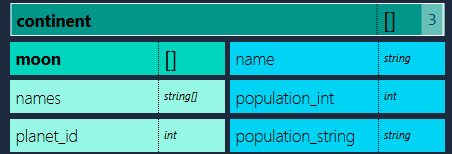
The loaded JSON is rendered as a tree structure, with objects and arrays rendered as nested branches.
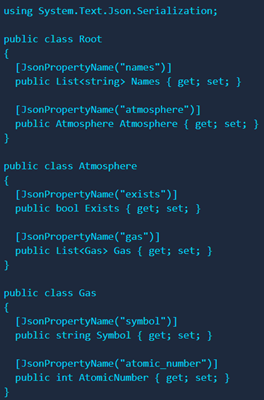
Selecting key-value-pairs will generate properties for the type it belongs to
and all necessary ancestor relationships if the type is a descendant of root.
Complex types are noted as '{}' and '[]' for objects and arrays respectively.
Primitive types and arrays are noted as-is.
When the JSON value is null or an empty array, the type is noted as 'object' or 'object[]' (C#), 'null' or
'unknown[]' (TypeScript).
3. Configure generated code
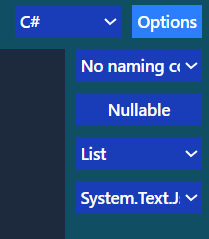
Setting an option in the menu will toggle that option for all properties
Setting an option in the tree will toggle that option for the current property
Collections can be set to allow null or undefined items
C# options
Backing field
Getter / Setter
Public / Private
JSON library annotations
JSON library
System.Text.Json
Newtonsoft.Json
Naming convention
Selecting a naming convention will generate a
JsonProperty / JsonPropertyName annotation for all properties.
TypeScript options
Optional
ZodSchema
Setting this option will generate a ZodSchema for your class/type/interface
Additional information
C#
Type inconsistency / Unions
Because C# does not currently support unions, JSON key-value-pairs with type inconsistencies will generate
multiple properties that map from the same key.
                public class continent
                {
                public string name { get; set; }

                // Use json annotations to map this property
                public int population_int { get; set; }

                // Use json annotations to map this property
                public string population_string { get; set; }
Known bugs
JSON with keys including a '^' character will parse incorrectly.